


 Audit Lobby
Audit workpapers and reviews
in one project.
Collect workpapers for each customer and project, and assign responsibilities for drafting and review. Review feedback and processing status, along with financial data, all within the same project.
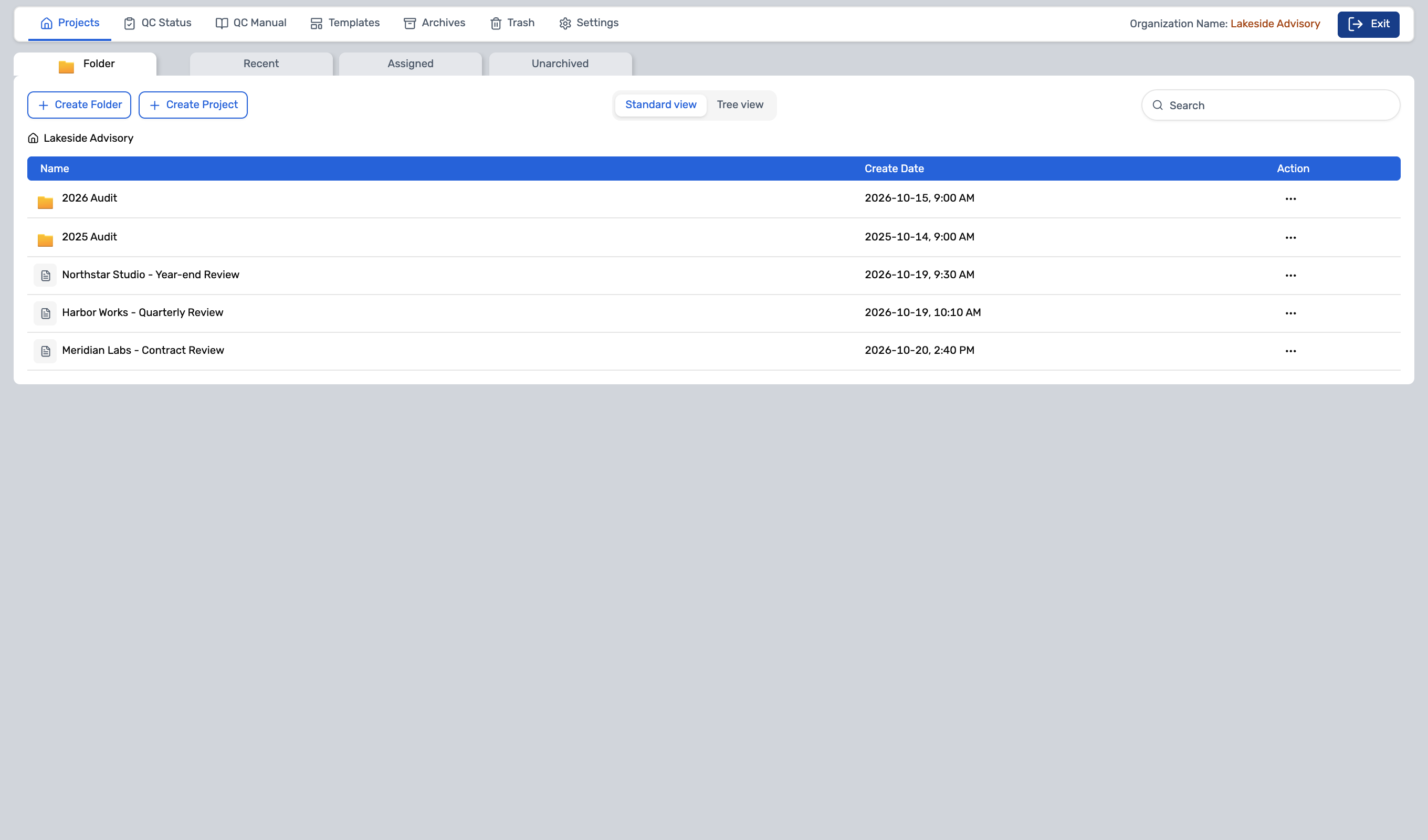
- Use this when needed
- Professional domain for customers, projects, and work documents
- Where to find it
- Audit Lobby dedicated environment
- Classification
- Administration and specialist work
Keep audit evidence and workpapers together
Project where workpapers come together
Collect workpapers in project tabs and folders, and prepare repetitive tasks with templates and libraries.
Author and reviewer together
Review workpaper responsibilities, sign-off, and approval comments together to prepare for the next review.
Materials needed for review are beside you.
Aggregate financial statements, cost allocation, and accounting records in the same project.
Usage steps
How the workflow fits together
Set up your project and proceed with workpaper drafting and review.
- 1
Thank you for your project preparation
Set up organization, customer, business type, project, and user access.
- 2
Workpaper and benchmark batch
Prepare workpapers using templates and libraries, and assign write and review roles.
- 3
Review and finance tasks
Connect comments & sign-offs with Trial Balance & financial statements for review.
- 4
Verify storage conditions
Verify diagnosis and blocking reasons, and document required reasons.
- 5
Record lookup
Review project storage results and sign-off/event records.
Audit Lobby features
Organization and Audit Project
Independent workspaces organized by organization, customer type, and business function.
- Assigned organization list
- Project list and folders
- Project information • User management
Sheet management with tab-folder structure
Organize project workpapers with tabs and folders.
- Workpaper tab, folder, file
- Upload, replace, download
- Project lock and document open
Review and approval roles with signature offboarding
Manage workpaper responsibilities and review completion records.
- Role assignment and release
- Sign-on · Cancel
- Change workpaper status
Review comments and completion processing
Track review comments left in the workpaper.
- Comments·Accountable Person
- Project comment list
- Complete, edit, export to CSV
Template and Workpaper Library
Prepare project templates and reusable workpapers at the organizational level.
- Template tree
- Template Workpaper Tab/File
- Workpaper Library
QC Status and Manual
Check quality management status and manuals within your organization.
- QC Status lookup · filter
- Export current status to CSV
- QC Manual access
Connect financial data with workpaper
Review workpapers for cost allocation, expense adjustments, and financial statements together.
- Trial Balance·Lead Sheets·FS Setup
- AJE·PAJE·Eliminating
- Financial Statements·Consolidating·WP Ref
Archive diagnosis and history
Diagnoses whether project retention is possible and provides the rationale.
- Retention eligibility and blocking reasons
- Pre-processing and ownership records
- Sign-off/event history and CSV
Project notes and trash bin
Manage project descriptions, notes, and deletion items together in your workspace.
- Notes
- Project Trash
- Organization Archives • Trash
What to decide before onboardingUser · Permissions · Scope of Provision
Project and workpaper
Get ready with customer types, business workflows, templates, workpaper library, and participant roles.
Review and financial data
Create and review sign-off, comments, and workflow standards for Trial Balance and financial statements.
Storage & Audit Trail
Check reasons for archive blocking and record retention, project lock & storage, and retrieval permissions.
Audit LobbyFollowed by 3 modules
 SettingsEnter the common portal and configure organization and project access permissions for Audit Lobby.
 Folder AccessSeparates general collaboration documents from audit workpapers. Does not assume bidirectional synchronization.
 Request ListReview the evidence collected via data request and have the responsible party use it in the workpaper for the audit project.
Audit Lobby
FAQ
Any other questions? ContactLet us know.
How is it different from general file management?
Professional workflow area for managing workpapers, reviews, signatures, and retention conditions. Separates from general file management and data/permission handling.
What financial data do we handle?
Trial Balance · Lead Sheets · Adjusting Entries and Workpaper Reference
How do you manage review feedback?
Manage workpapers with project comments, assignees, and completion status, and export the list.
When can I access my project?
Verify retention status and reason for blocking, and document any required reasons. First confirm your organization's retention policies and review status.
Does it include Risk Assessment?
This screen currently shows the pending scope. Separate the onboarding scope from available workpapers, review comments, and financial tasks.
Get started with Audit Lobby.
Let us know who you'll be working with and which tasks to improve first, and we'll guide you on the required modules and implementation scope.